
Creating a home office space that is both cozy and productive can make a significant difference in your work-from-home experience. Whether you are setting up a new workspace or looking to improve your current setup, the right environment can help you stay focused, motivated, and comfortable throughout your workday. Here are some practical tips to help you design a home office that meets your needs.
Choose the Right Location
Consider Lighting and Noise Levels
Start by selecting a location in your home with plenty of natural light. Natural light helps reduce eye strain and enhances mood, which can boost productivity. Avoid spaces near noisy areas like the kitchen or living room to minimize distractions. If natural light is limited, invest in good quality, adjustable lighting to keep your workspace bright and inviting.
Think About Privacy and Space
Make sure your home office offers enough room for your work essentials and allows you to focus without interruptions. A quiet corner or a spare room can provide the privacy you need for calls and deep work.
Invest in Comfortable Furniture
Ergonomic Chair and Desk
A comfortable, supportive chair is essential for long working hours. Look for an ergonomic chair with adjustable height and lumbar support. Pair it with a desk that fits your space and allows you to keep your equipment organized. Standing desks or adjustable desks can also be a great option to promote movement.
Proper Desk Setup
Organize your desk so that frequently used items are within easy reach. Keep enough surface area for your computer, notebook, and other items you use daily. Consider adding a keyboard tray or monitor stand to optimize ergonomics.
Personalize with Cozy Elements
Soft Textiles and Colors
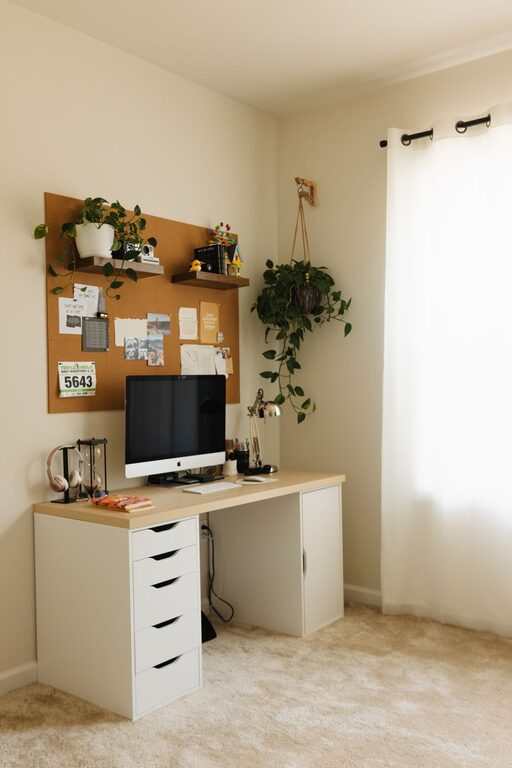
Adding soft cushions, a cozy throw blanket, or a small rug can make your workspace feel inviting. Choose colors that calm and inspire you, such as soft blues, greens, or warm neutrals.
Greenery and Personal Touches
Plants can improve air quality and add a splash of life to your office. Personal items like photos, artwork, or motivational quotes can boost your mood and make the space uniquely yours.
Organize for Efficiency
Declutter Regularly
Keep your home office tidy by regularly sorting through papers and supplies. Use storage solutions like drawer organizers, shelves, or bins to keep everything in its place.
Use Digital Tools
Minimize paperwork by digitizing notes and documents. Cloud storage and task management apps can help you stay organized and keep your workflow smooth.
Manage Technology Wisely
Reliable Equipment
Ensure your computer, printer, and internet connection are reliable to avoid interruptions. Consider investing in noise-canceling headphones if you work in a shared or noisy environment.
Cable Management
Tidy cables using clips, sleeves, or under-desk trays. A clean and uncluttered desk helps improve focus and reduces stress.
Set Boundaries and Routine
Define Work Hours
Establish regular work hours to maintain a healthy work-life balance. Use visual signals like closing the door or specific desk arrangements to indicate when you are working.
Take Breaks and Move
Schedule regular breaks to stretch and step away from your desk. Movement helps reduce fatigue and keep your mind fresh.
Enhance Air Quality and Comfort
Proper Ventilation
Make sure your workspace is well-ventilated. Fresh air improves concentration and reduces drowsiness.
Control Temperature
Keep your office at a comfortable temperature. Use fans or heaters as needed to ensure you remain comfortable throughout the day.
—
By thoughtfully designing your home office around these tips, you can create a space that not only supports your productivity but also makes working from home pleasant and enjoyable. A comfortable, organized, and personalized workspace helps you stay motivated and focused, setting the stage for success in your daily tasks.
Related Posts
Tips for Creating a Cozy and Functional Home Workspace
Creating a cozy and functional home workspace is essential for…
Effective Tips for Organizing Your Home Office to Boost Productivity and Comfort
Creating a well-organized home office is essential for productivity and…
Tips for Creating a Relaxing Home Office Environment
Creating a relaxing home office environment is essential for maintaining…